Get Social With Grace
  • Home
  • Social Media Services
    • Services and Pricing
    • Managed Plans
    • Are you a marketing agency?
  • Top Tips
    • How to Get Social
    • 2026 UK Awareness Days Calendar
  • Client feedback
  • Get in Touch
  • Menu Menu
  • Link to LinkedIn
  • Link to Instagram

How the LinkedIn algorithm works in 2025

June 30, 2025/in LinkedIn

We’ve taken a closer look at how the LinkedIn algorithm works and pulled together the key points to help you get better reach with your content. Two of the algorithm’s penalties often come as a surprise, even to experienced users, so it’s worth being aware of those.

Key algorithm updates

LinkedIn’s algorithm has undergone some changes and understanding them can make all the difference in how your content performs. One noticeable shift is the platform’s growing emphasis on subject-matter expertise. LinkedIn now rewards creators who consistently share insights within a specific niche, positioning them as trusted voices in their field. The more focused and relevant your content, the more likely it is to be surfaced to others who care about the same topics. It’s about becoming known for something specific and valuable.

At the same time, while many users have noticed a dip in overall reach, there’s been a rise in the quality of engagement. On average, posts are seeing around 12% more interaction, but it’s not just about numbers. The algorithm is increasingly tuned to recognise meaningful engagement such as comments that spark real conversation, responses that show genuine interest and interactions that go beyond surface-level likes. In this new landscape, content that includes dialogue is far more likely to gain traction than posts designed purely for virality.

Content format preferences

Certain content formats are still proving more effective than others. Carousels, particularly those uploaded as PDFs, tend to outperform other types of posts. They encourage people to pause and swipe through, which naturally increases time spent on the content. When done well, they can feel more like a conversation than a broadcast, especially if they open with a clear idea and close with something useful or reflective.

Polls are still a helpful tool for prompting interaction, though they’re not quite as impactful as they once were. Engagement has dipped slightly, about 20% compared to previous years, but they remain a low-effort way for people to respond.

Short videos, ideally around one to two minutes, continue to hold attention, particularly when they’re captioned and get to the point quickly. That said, overall video reach has declined, so clarity and focus matter more. Videos that offer a glimpse behind the scenes or share a quick, useful insight tend to resonate, especially when they lead with something that draws people in straight away.

Algorithm penalties

The LinkedIn algorithm tends to favour content that encourages meaningful interaction and keeps users on the platform. Posts that rely on clickbait-style engagement prompts, like asking people to “comment YES if you agree,” often see reduced visibility. While these tactics might still work well on platforms like Instagram, LinkedIn is more focused on content that sparks genuine conversation.

Another factor that can limit reach is the use of external links. Content that directs people away from LinkedIn, particularly if it’s promotional, is generally deprioritised. If you’re sharing a blog post or article, you’ll likely see better results by publishing it directly on LinkedIn rather than linking out to your website. For those times when an external link is necessary, placing it in the comments rather than the main body of the post can sometimes help, though it’s not a guaranteed fix.

Strategies for LinkedIn content creators

If you’re trying to build a presence on LinkedIn, it helps to focus less on performance and more on consistency and clarity. One of the most useful things you can do is share content that feels genuinely helpful, whether that’s a shift you’ve noticed in your industry, a small lesson from your day-to-day or a bit of advice that others might find useful.

Engagement tends to grow when you treat LinkedIn as a place for conversation, not just broadcasting. That might mean asking a question, responding to comments or simply being open to different perspectives. People tend to respond to posts that feel like they were written by a person, not a brand.

It’s also worth thinking about how you present your content. Some ideas are better suited to a short video or a few slides, others might work better as a simple paragraph or two. There’s no single right format, just what fits the message.

Posting regularly helps, but more isn’t always better. Twice a week is a good amount for most people. Posting more than once a day can actually reduce how many people see your content, so it’s worth pacing yourself.

LinkedIn’s analytics can give you a sense of what’s working and what’s not. Over time, that feedback can help you shape your content in a way that feels more natural for you and for your audience.
https://getsocialwithgrace.com/wp-content/uploads/2025/06/Untitled-design-2.png 788 940 Grace https://getsocialwithgrace-com.stacktemp.com/wp-content/uploads/2023/08/get-social-with-grace-web-logo-300x99.png Grace2025-06-30 12:17:212025-07-19 08:41:35How the LinkedIn algorithm works in 2025

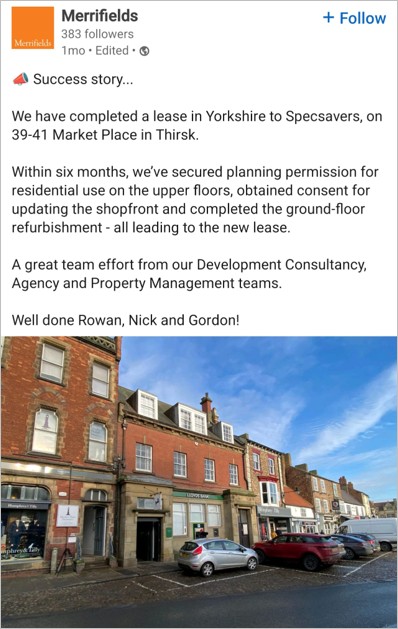
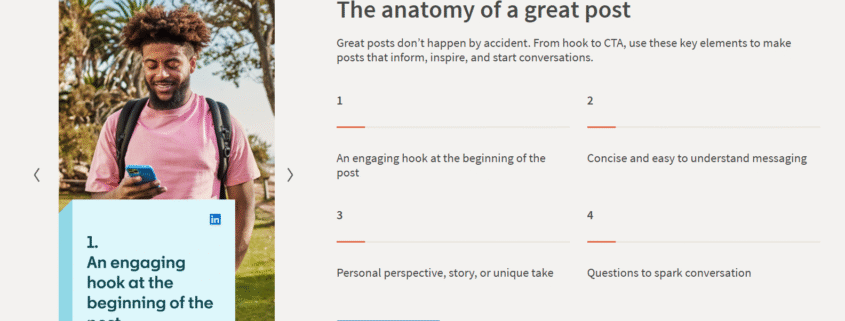
LinkedIn launches new guide on creating engaging posts

April 16, 2025/in LinkedIn

Listen up! LinkedIn have launched a brand new guide to creating engaging posts on their platform.

There’s a range of posting tips, including key fundamentals to creating engaging LinkedIn content. Plus, they’ve got a dedicated section on creating LinkedIn videos, covering everything you need to know before you hit record. That’s worth noting, because LinkedIn has seen a 36% rise in video watch time year over year.

Below we’ve collated some of their top tips…

Ways you can experiment with content

Share your expertise

Your personal expertise and knowledge are what make you stand out, so it’s best to share them. Use your posts to show what you know and prove your credibility. Combine your professional insights with personal perspectives to create content that feels authentic. Incorporating images or videos can also add depth and context, helping your connections learn more about you and your work.

Stay consistent

Consistency is key for staying at the forefront with your LinkedIn connections. Aim to publish 2–5 posts per week to nurture your community and demonstrate that you’re a reliable source of valuable insights. Regular posting builds your reputation and keeps people coming back for more.

Engage your audience

Encourage feedback and interaction by including questions or calls to action in your posts. This invites your connections to engage with you, learn more and join the conversation. Engagement is the foundation of encouraging a strong online presence.

Explore different tools

Don’t be afraid of experimenting with various formats to find what resonates best with your audience. Videos, images, newsletters and polls are all great tools to explore. Some may prove to be highly effective, while others might not work as well. It’s all part of the learning process.

Post ideas to get you started: our examples

Teach something new

Sharing valuable insights, career advice or even personal stories is a fantastic way to provide value to your network. Everyone loves learning something new that could benefit their own journey.

Highlight your talents
Your skills and expertise are what set you apart. Use your LinkedIn posts to show your abilities and share insights that resonate with your audience.

Stay industry relevant
Keep your connections updated on the latest trends, major events or key developments in your industry. This not only keeps your audience informed but also positions you as a reliable source of information.

Go behind the scenes
People love getting a glimpse of the day-to-day. Sharing snippets of your work life or the processes behind what you do can create a connection and exclusivity with your audience.

Share your vision
Have ideas or predictions about the future of your industry? Let your audience in on your thoughts. This can spark engaging conversations, create a community and help you gain insights from others in your field.

Success stories
Overcoming challenges and achieving success is always worth sharing. Highlighting these moments on LinkedIn not only shares your hard work but also inspires others by demonstrating what’s possible with perseverance and dedication.

Top tips for videos

Creating a video can take some time. From setting up your space to redoing takes, there’s plenty to prepare before you even start filming. Here are a few things you might want to consider before hitting record…

  • People are drawn to faces, voices and personal stories. These elements create stronger connections than faceless brands. Remember, people follow people, not logos.
  • For optimal visibility, upload your videos straight to LinkedIn instead of sharing external video links. This eliminates the extra step of clicking, allowing viewers to engage effortlessly.
  • Since around 85% of LinkedIn users watch videos on mute, including subtitles is important. Subtitles ensure your message resonates even without sound.
  • Aim for videos between 60 and 90 seconds, capturing people’s attention within the first 3. Be clear and direct, avoid lengthy introductions or unnecessary details.

The video specs

  • File size – min 75KB | max 5GB
  • Video duration – max 15 minutes
  • Resolution – 256 x 144 | 4096 x 2304
  • Aspect ratios – 1:2.4 | 2.4:1
  • Frame rates – min 10fps | max 60fps
  • Bit rates – min 192 Kbps | max 3 Mbps

LinkedIn is a valuable platform for professionals to connect and share their expertise. Understanding how to create engaging content can help you make the most of its features. For more helpful tips on getting started, have a scroll through their brand new guide.

https://getsocialwithgrace.com/wp-content/uploads/2025/04/LinkedIn-new-creator-guide-2025.png 786 1584 Grace https://getsocialwithgrace-com.stacktemp.com/wp-content/uploads/2023/08/get-social-with-grace-web-logo-300x99.png Grace2025-04-16 14:24:172025-04-16 14:31:56LinkedIn launches new guide on creating engaging posts

How to make your social media cover images stand out

February 3, 2025/in Facebook, LinkedIn

Cover images are like the welcome mat of your online profile—they make the first impression. It’s important to consider the size, the device you’re using and what you want to include. We’ve got a handy guide with all the important details to help you create the perfect cover images on Facebook and LinkedIn, with some client examples that we’ve created.

Facebook

Your Facebook cover photo is one of the most noticeable parts of your page, so getting it right is key. A cover image that’s too big will be cropped, cutting off important parts of your content. On the other hand, a too-small image will look stretched and pixelated, giving a poor first impression. So, what’s the correct size for a Facebook cover image?

  • Desktop: 820 pixels wide by 312 pixels tall
  • Mobile: 640 pixels wide by 360 pixels tall

As you can see, the sizes vary depending on the device, but designing your cover photo with the desktop view in mind is generally the best approach. Canva offers templates to help you get the right size, so there’s no need to worry about that. However, keep in mind that the left side of your cover photo will be covered by your profile picture and on mobile, up to 75% of your profile picture might overlap into the cover photo. Therefore, make sure the important imagery or text is kept to the right.

Examples


Given the increasing number of people using Facebook on mobile devices, ensure that no important content is missing. If you plan on incorporating text or your logo into your cover image, exporting the file as a PNG will give you the best results.

LinkedIn cover image

Creating a LinkedIn cover image doesn’t have to be complicated. Even though the dimensions are quite specific (1,584px by 396px), the good news is that they stay the same across all devices. The trick is to make the most of this space without overthinking it.

LinkedIn personal profile

For personal profile pages, think of your cover image as a quick introduction. Include your contact details, a headline about yourself and maybe a notable achievement you’re proud of. This way, when someone visits your profile, they get a snapshot of who you are right at the top.

Company pages

For company pages, you may want to utilise this space to show off your projects or team, or add in your contact details or company tagline. This will help communicate your company’s identity and mission in a simple and effective way.


Quick note on profile pictures

Your profile picture should be recent, and your face should take up around 60 percent of the total space. It should match how you would normally look in your work environment so people can easily identify you, for example if they’re briefly met you through networking. Here’s more on elevating your LinkedIn profile.

Whether you’re starting from scratch on social media, or you’re branching out onto different social media platforms, at Get Social with Grace we can set up Facebook, Instagram, LinkedIn, Twitter and YouTube on your behalf.  We’re here to make sure your profiles are set up correctly from the start. Contact us for more info!

https://getsocialwithgrace.com/wp-content/uploads/2025/01/GSWG-cover-image-blog-post-.png 800 1200 Grace https://getsocialwithgrace-com.stacktemp.com/wp-content/uploads/2023/08/get-social-with-grace-web-logo-300x99.png Grace2025-02-03 09:33:092025-02-03 17:35:10How to make your social media cover images stand out
LinkedIn algorithm 2023

How the LinkedIn algorithm works in 2023

September 6, 2023/in LinkedIn

LinkedIn have recently spilled the beans on some key algorithm insights as to how their platform works and what it prioritises. The platform has 810 million users and counting, and their algorithm has to process billions of posts every day, so it takes in all sorts of factors. 

So how can you up your game and make your posts shine?

1. LinkedIn is prioritising content from first-degree connections

LinkedIn says that users regularly tell them the most valuable content comes from people they know, so users are now seeing more updates from direct connections and users that they follow in their feeds, rather than 2nd or 3rd degree connections.

2. Understand the best practices of posting

There are some basic elements to keep in mind when posting on LinkedIn…

  • Use 2-5 hashtags;
  • Don’t include outbound links in your posts where possible – LinkedIn want to keep users on the platform, not take them away;
  • Sprinkle in relevant keywords, but only where it makes sense to;
  • Make thought pieces easy and breezy to read. Forget about large chunks of text, break them up with emojis and paragraph breaks.
3. LinkedIn is looking to highlight expert knowledge and advice

So how does LinkedIn know what expert insight is? The system is now looking to identify users’ interests, based on their profile info and activity, and if other people within your niche are engaging with your posts, that’s a strong signal that you’re sharing material of relevance and value.

4. Comments matter the most

Research now shows LinkedIn ranks comments as the most valuable type of engagement, over likes and even sharing. But not just one word answers, but in-depth replies and conversation are what will help to improve your post reach (pro-tip: respond to comments on your updates).

5. Short native videos work best

It’s important to post a range of content, but LinkedIn likes short-form videos. So spice up your strategy with some bite-sized videos. Apparently, people are 20% more likely to hit that share button for videos over any other type of content.

6. Post during weekdays, not weekends

Weekends are for chilling, not LinkedIn! Most users scroll through the platform during the week rather than weekends. So, when you’re planning your LinkedIn posts, save them for the weekdays. Also avoid bank holidays or large public holiday dates.

7. Utilise tagging as much as possible

Content which tags a person or an organisation performs very well on LinkedIn. So tag away where it makes sense to. Not only does the person you’ve tagged see the post, but all those who are connected to the person have a chance of it appearing on their feeds too.

https://getsocialwithgrace.com/wp-content/uploads/2023/08/LinkedIn-algorithm-2023.jpg 800 1200 Grace https://getsocialwithgrace-com.stacktemp.com/wp-content/uploads/2023/08/get-social-with-grace-web-logo-300x99.png Grace2023-09-06 13:53:542023-09-11 16:16:10How the LinkedIn algorithm works in 2023
LinkedIn profile

Ways to elevate your LinkedIn profile for maximum impact

July 12, 2023/in LinkedIn

LinkedIn is the social media platform where you can use your own profile to build your professional brand, share content with other professionals, and connect with potential clients, business partners and employees.

Personally for my business, it’s given the biggest return on investment of my time. It’s also the channel that I’m covering more and more in my social media training sessions, as many business owners feel least confident that they’re using the platform correctly. So I thought it would be worth breaking down the basics of your LinkedIn profile and how to make sure it’s at its best.

1. Profile picture

Your profile picture should be recent, and your face should take up around 60 percent of the total space. It should match how you would normally look in your work environment so people can easily identify you, for example if they’re briefly met you through networking.

2. Cover image

The cover image is a part of your profile worth utilising as it takes up quite a bit of space and it’s one of the first things people see when viewing your profile. Some people use it to display a collage of their work/projects, others create a graphic that displays their contact details and web address. To keep things consistent, ensure any colours and fonts you select when creating a graphic match your branding. See 6 LinkedIn cover photo ideas.

3. Headline

Your headline is displayed below your name with almost everything you do on LinkedIn; send a connection request, send a message, publish a post, comment on a post, and appear in search results; make sure it clearly states what you do. Rather than simply writing your job title – “Owner of X company” – expand on this (with some keywords) to briefly describe what it is you offer.

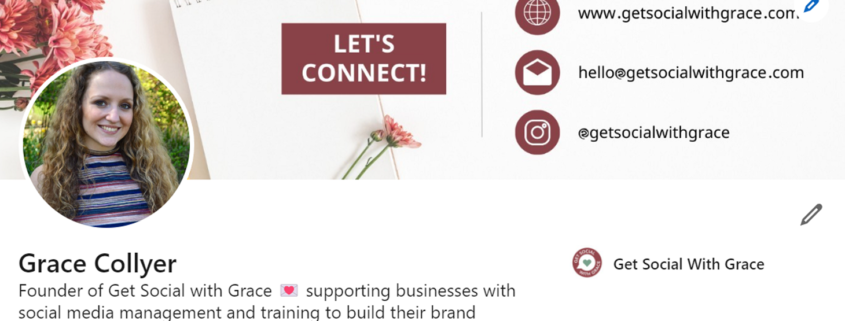
My example: Founder of Get Social with Grace 💌 supporting businesses with social media management and training to build their brand awareness ⚡️

If appropriate, feel free to incorporate emojis to add some character.

4. Profile URL

When you first create your LinkedIn profile, LinkedIn will assign a line of random numbers to your URL. This doesn’t look great when linking to your profile, but they can easily be removed.

  • Go to your profile
  • Click Contact info and the pencil icon
  • Click your URL
  • Click the pencil below ‘Edit your custom URL’
  • Change your URL and save your changes

This will provide you with a link that is easy to share, and recognisable to other people who may be searching for you.

So we’ve covered the basics of the first section of your LinkedIn profile. Let’s now explore more…

About

It’s amazing to see how many people still leave this field blank in their LinkedIn profile. Your summary is your chance to tell your own story – so don’t just use it to list your skills or the job titles you’ve had. Try to bring to life why those skills matter, and the difference they’ll make to the people you want to work with. Also include some personal information about yourself, such as interests and hobbies, so people can feel connected to you.

Recommendations

Recommendations are a vital part of building your authority and credibility on your LinkedIn profile. You can also repurpose them as testimonials on your website and as posts on your social media channels.

Get in touch with not only clients, but also people you have worked with, and ask them to leave a recommendation on your profile.

Growing your connections

Begin by syncing your profile with your email address book, which will provide a list of all of your email contacts who have a LinkedIn profile. Beyond this, get into the habit of following up meetings and networking events by sending LinkedIn connection requests to anyone you meet – it’s a great way of keeping your network vibrant and up to date.

Another strategy to grow your connections is to connect with like-minded people within your industry and/or local area. Think about other types of businesses that are non-competing in your field, connect with them, and even follow up with a brief introductory message. This is a much better way of building your network than connecting with potential customers and trying to sell to them.

Stay active on LinkedIn

LinkedIn is a social media tool. Yet, only 3% of users post more than once per week. Such a small figure! It is different to other social media platforms, but it’s still a useful tool to connect and build relationships with like-minded professionals. It’s important to post your own updates, as well as engage in other posts and discussions that might interest you. This will help to expand your network.

https://getsocialwithgrace.com/wp-content/uploads/2023/07/LinkedIn-profile.png 654 1460 Grace https://getsocialwithgrace-com.stacktemp.com/wp-content/uploads/2023/08/get-social-with-grace-web-logo-300x99.png Grace2023-07-12 12:15:412023-07-12 12:15:41Ways to elevate your LinkedIn profile for maximum impact

LinkedIn company page vs personal profile

May 2, 2023/in LinkedIn

During social media training sessions I am often asked about the differences between using a LinkedIn company page versus a personal profile. If you’re familiar with Facebook, the differences between a business page and a personal profile on LinkedIn are quite similar to Facebook. The only thing to note is that you can promote your business through your profile on LinkedIn, whereas it isn’t the done thing on Facebook so much.

You may not generate much activity on your LinkedIn company page, but that doesn’t mean you shouldn’t have one as it has several benefits. But first I’ll explain why your LinkedIn profile is more important to prioritise.

People connect with people

Responses from businesses can often miss that human element that we all desire. It’s hard to “be yourself” when you’re acting as your brand. The most memorable experiences people have with businesses typically involve a person going above and beyond to address their needs.

You can build a personal brand really well through a LinkedIn profile. This will shape people’s perceptions of the brand you represent and add value to your business.

Profiles are active, company pages are passive

With a LinkedIn company page you aren’t able to connect with people, send and receive messages, so therefore it’s hard to develop relationships. You’re purely dependent on organic interactions.

The magic has always been with personal profiles and the relationships you develop through them.

You can use your profile to connect with relevant people

One of the most powerful LinkedIn marketing strategies is to reach out to new people through connecting with them or via their inboxes. This is only possible with personal profiles.

Rather than connecting with potential clients and trying to sell to them, I always recommend using LinkedIn as a networking tool and connecting with potential referral partners, to build relationships this way. Think about non-competing businesses that are in your industry, perhaps within your area too, and strike up a conversation with them to see if you can refer each other to people in your networks. Trust me – you’ll get a much greater response from this than trying to promote something to a potential client!

The benefits of having a company page

Should you ditch your company page altogether since its more limited than the personal profile? Definitely not!

You can still use your LinkedIn company page effectively – here are some reasons why:

It looks professional

Whether you’re a large company or one-person show, if a prospect looks for your company page and doesn’t find it, it won’t help your credibility. Your company page will also be tied to your personal profile, which means anyone checking out your profile (and your employees) will be able to see your company and branding immediately.

LinkedIn profile

This link takes people to the Experience section of your profile, which then links to your company page. Just make sure your company page is complete and professional looking!

More opportunities to be found

Having a company page gives additional ways for people to find you and your content on LinkedIn. A LinkedIn company page is very SEO friendly. Often your company page will come up high in search results when someone Googles your business name.

Your employees can be connected to it

Having even only a few employees connected to your company page provides increased exposure.

To conclude – have both a company page and a personal profile

Ultimately, your LinkedIn company page is one more place for potential prospects to learn about your company. So make sure it’s fully optimised and you’re publishing regular content on it.

But for most small businesses, I would say prioritise your personal profile. This will bring you greater results.

Read: A guide to LinkedIn newsletters

https://getsocialwithgrace.com/wp-content/uploads/2023/04/Linkedin-company-page-vs-profile.jpg 800 1200 Grace https://getsocialwithgrace-com.stacktemp.com/wp-content/uploads/2023/08/get-social-with-grace-web-logo-300x99.png Grace2023-05-02 09:11:572023-05-19 09:21:24LinkedIn company page vs personal profile
Linkedin

The evolution of LinkedIn

November 11, 2022/in LinkedIn

Once upon a time, a social media network was born – one that seemed geared only to employers looking for new employees, and employees looking for work. Unlike other personal social media networks, LinkedIn was rather “corporate”, and very much about being professional and showcasing skills. Then businesses began to wake up to the potential of this incredible network.

The platform has turned out to be a great way to build influence. What was once a job hunting platform is now a go-to place for businesses looking to network, seek new vendors for services, and search for the best talent in their industry. Let’s explore the way businesses use it…

1. The ultimate employee recruiting tool

It used to be that if you really wanted to get a job and stand out from other applicants, you’d walk into a place of business smartly dresses for the position you wanted. Even if a company offered an online application process, the best would appear in person.

Not anymore. Online applications have become the norm. When an individual starts job hunting, the immediate advice they are given is to improve their LinkedIn profile. The top channels people use to look for new jobs are job boards (60%), professional social networks like LinkedIn (56%) and word of mouth (50%). LinkedIn actually falls into both of the latter categories, as employees are 46 percent more likely to accept InMails if they are connected to an employee of the recruiting company.

Linkedin started as, and has continued to rise as, the ultimate employee recruiting tool.

2. The B2B connection machine

Not only are there an endless amount of employees on LinkedIn, but there are thousands of companies. This creates a brilliant opportunity for networking. There are businesses on LinkedIn that need the specific services or products you offer, and there are others whose services and products you need. Since you are both actively on LinkedIn, it provides a great platform to connect for your mutual benefit.

Consider that 61 million LinkedIn users are senior level influencers and 40 million are in decision-making positions. That is a huge potential audience to market to. LinkedIn has evolved into a B2B connection machine, and that network is a powerful place to market your company and what you do.

I offer a service to my clients where I connect them with other people within their industry (who aren’t conflicting). This is a brilliant way of growing their connections with like-minded people, where they can build referral partnerships.

3. The B2C market is growing

LinkedIn members themselves have wants and needs that companies can satisfy. One prominent example of this B2C marketing trend on LinkedIn is property. Agents are using LinkedIn to market houses, increase their referral networks, and by directly reaching professionals who can afford to purchase homes and will do so.

This is just one example. Insurance products, car companies, accounting and other services – all of these are using LinkedIn to reach out to potential customers. LinkedIn has over 830 million members, and 360 million are active every month. An astounding 44% of those users make more than £70,000 per year.

Some fun facts about LinkedIn…
  • LinkedIn is the oldest popular social media platform. Launching in 2003, LinkedIn is older than Facebook, Twitter and Instagram.
  • The company with the highest LinkedIn following is Google with 25 million followers.
  • The person with the highest LinkedIn following is Bill Gates with 35.6 million followers.
  • 5 million users actively use LinkedIn each day.
  • People ages 25 and 34 make up 60% of LinkedIn’s users. In addition, 20% of users are between 18 and 24, and almost 18% are between 35 and 54. Only 2% are 55 and older.
https://getsocialwithgrace.com/wp-content/uploads/2022/11/Linkedin.jpg 800 1200 Grace https://getsocialwithgrace-com.stacktemp.com/wp-content/uploads/2023/08/get-social-with-grace-web-logo-300x99.png Grace2022-11-11 15:50:552022-11-11 15:50:55The evolution of LinkedIn

A guide to LinkedIn newsletters

July 26, 2022/in LinkedIn

I’ve recently started creating LinkedIn newsletters for my clients, which have resulted in the articles I publish receiving much higher views and engagement. Why? Because anyone who is subscribed to your LinkedIn newsletter receives a notification every time you publish new content in it.

If you regularly update your blog, it’s a brilliant way of getting that content seen by your LinkedIn connections. Find out more in my guide below.

What are LinkedIn newsletters?

A LinkedIn newsletter allows you to build and grow an actively engaged audience and raise your brand awareness. When you initially create your LinkedIn newsletter, all of your connections will receive a notification to subscribe. Then any that do subscribe will receive a notification every time you publish new content within it.

Your LinkedIn newsletter should concentrate on the same topic, one that’s relevant to your business and your audience’s needs.

Why consider LinkedIn newsletters?

As is typically the case when a new feature on a social platform is introduced, LinkedIn is working hard to make sure newsletters get as much reach as possible. At a time when organic reach seems to be suffering across social media and open rates, and emails can fluctuate, having LinkedIn help you get views on your content at no extra cost is a huge benefit.

LinkedIn newsletters can also help to get your content in front of people who may have never come across your profile before. If you create a killer newsletter that drives engagement, LinkedIn will show it to more people. This gives you a chance to increase your organic reach.

How to create a LinkedIn newsletter

Firstly, you’ll need to turn on Creator Mode (you need 150+ connections and you must have recently shared a post).

Then to construct your newsletter, on the homepage click ‘Write an article’, then click the ‘Create a newsletter’ button. You’ll be prompted to fill in details about your newsletter…

  • Newsletter name: choose a title that’s clear, optimised, and conveys the overall value of the information you want to share with your subscribers. Try to avoid vague names.
  • Description: again, focus on writing a clear description and use terms people may search for.
  • Logo: you can upload a square image of your logo, or a photo of yourself if that is more suitable.
  • Anticipated schedule: choose how often you plan to publish content to your newsletter – daily, weekly, biweekly or monthly. But don’t worry; LinkedIn won’t force you to stick to that schedule.

create-linkedin-newsletter

Note: You can create a newsletter on LinkedIn as yourself or as a company page.

Publishing quality content to your newsletter

Now you’ve set up your newsletter, every time you create an article, it will be sent out through your newsletter instead. Consider going back over some of your previous content and repurpose your most popular content pieces for the newsletter. This can give you a way to start building the value of your newsletter without having to commit to a huge effort.

As you create your content, it’s important to always deliver quality to retain your subscribers. Readers should be able to trust the experience they’re going to have when they tap on that notification that sends them to your newsletter to read your new content.

While we are used to traditional marketing strategies like advertising, blogging, and emailing (all of which do work), it’s always good to explore other options. If you feel like your approach needs refreshing, a LinkedIn newsletter may be that creative outlet you’ve been looking for.

If you want to subscribe to my LinkedIn newsletter where I share weekly social media tips and updates, click here!

https://getsocialwithgrace.com/wp-content/uploads/2022/07/linkedin-newsletters-1-62444e2ae2df3-sej-1520x800-1.png 800 1520 Grace https://getsocialwithgrace-com.stacktemp.com/wp-content/uploads/2023/08/get-social-with-grace-web-logo-300x99.png Grace2022-07-26 17:40:572022-07-26 17:40:57A guide to LinkedIn newsletters
Linkedin cover photo examples

6 LinkedIn cover photo ideas for your brand

April 8, 2022/in LinkedIn

One of the simplest ways to make a great first impression is by having a strong profile with an eye-catching LinkedIn cover photo. This is one of the first things people see when they visit your profile (or business page).

Data shows that people remember 80% of what they see, and only 20% of what they read. Use your LinkedIn cover photo to showcase who you are as a professional, highlight your services, share your contact info, or even give a sneak peek into your personality.

Photo size dimensions for your LinkedIn cover photo

We recommend creating a custom LinkedIn cover photo, because it allows you to get creative and incorporate elements that are unique to you, such as your brand colours and fonts.

If you’re not sure where to start, Canva provides a whole range of templates to get you started. These are completely customisable.

But if you have a preferred design software, below are the guidelines for your cover photo size and dimensions:

  • Personal profile cover photo: 1584 x 396 pixels
  • Company profile cover photo: 1128 x 191 pixels
  • Maximum file size 4MB
  • Must be a PNG or JPG file

When designing cover photos, beware of “danger zones” like how your profile picture will cover the header’s bottom left corner.

6 eye-catching LinkedIn cover photo examples

Whether your goal on LinkedIn is to drive new leads, grow your brand, or educate your audience, here are six examples you can draw inspiration from.

1. Danica Nelson

LinkedIn cover photo examples Danica

Danica’s cover photo tell us exactly what she does. Not only this, but its hues of red match the branding on her other social platforms. Consistency is key (and memorable!)

2. Mented Cosmetics

LinkedIn cover photo examples Mented

Mented Cosmetics are known for products that complement different skin tones. They’ve used their LinkedIn cover photo to showcase how their makeup looks on women of colour, allowing their company mission to be visually front and centre.

3. Squarespace

LinkedIn cover photo examples Squarespace

Squarespace is a common platform used to build personal and business websites. Their cover photo creatively uses their company slogan with on-brand photos to highlight who they are and what they do.

4. Jayde I. Powell

LinkedIn cover photo examples Jayde

Jayde’s personal LinkedIn cover photo uses minimal icons to highlight what you can expect from her page and where she’s from. The perfect touch of personality.

5. Ritual

LinkedIn cover photo examples Ritual

Ritual is a supplement brand and their cover photo “clearly” defines their brand mission. The bright yellow ties in with their brand identity while also highlighting their physical product.

6. Get Social with Grace

LinkedIn cover photo examples Get Social with Grace

Last but not least – me! I recently redesigned my LinkedIn cover photo to incorporate contact information and my Instagram handle. The colours also match my branding.

While it can be often overlooked, using a customised LinkedIn cover photo can go a long way in helping you stand out. If you would like me to design your cover photo, please get in touch!

https://getsocialwithgrace.com/wp-content/uploads/2022/04/Linkedin-cover-photo-examples.jpg 800 1200 Grace https://getsocialwithgrace-com.stacktemp.com/wp-content/uploads/2023/08/get-social-with-grace-web-logo-300x99.png Grace2022-04-08 15:37:312022-04-08 15:37:316 LinkedIn cover photo ideas for your brand
marketing on linkedin

6 ways to boss B2C marketing on LinkedIn

July 18, 2019/in LinkedIn, Social media

It seems that more and more businesses are focusing their social media marketing efforts into LinkedIn. It used to always be a place for B2B businesses and neglected by B2C companies, but LinkedIn is still a hugely influential social media network where many different businesses can thrive.

With over 610 million LinkedIn members globally, it’s a big place. More importantly, 40 million of those people are decision makers. This social media platform provides an outstanding business opportunity to connect with individuals who are in a position to form strategic alliances, purchase your product/service, or invest in your business.

Here are six ways to excel with your LinkedIn marketing efforts.

1. Promote your own content and be creative

Drive traffic to your website by promoting your sales, services, blog posts, testimonials, etc. Images and videos will drive engagement, so always ensure you include some form of visual component to your posts.

2. Interact with other people’s content

Don’t forget – LinkedIn is a social network, so still be social on the platform. Reshare and comment on other people’s posts, especially people who you’d like to align with your business. This is the first step towards creating a relationship with these users.

3. The use of hashtags

You can use hashtags on LinkedIn, as you can on other social platforms to connect with people outside of your network. This feature was re-introduced a couple of years ago. It has since more recently been putting increased emphasis on them to categorise content better.

Choose hashtags related to your industry. Hashtagify is a handy tool that can help you find the most popular hashtags, and LinkedIn also has automated suggestions.

4. Always tag people and brands

When creating a post, always tag anyone you mention in it. It’s important because it gets the post in front of the person you mentioned, and will mean that post has a much higher chance of making it into the LinkedIn feed of that person’s network.

5. Ask questions and create discussion

Not only does asking questions help you learn more about your network and audience, it can drive engagement on your content too. Post open-ended and thought-provoking questions, with the intention of sparking conversation among your followers.

6. Avoid business jargon

It’s easy to slip into marketing jargon when talking about your business (yawn!) but try to avoid it, as that’ll only isolate your business. A great strategy to ensure that your content is reader-friendly is by asking yourself this question: “Is this how I would explain my company to a friend over a coffee?”

Asking this question will make sure that you’re engaging with people as making your business posts relatable.

By following these tips, you’ll be well on your way to creating an effective LinkedIn strategy, no matter what sector you’re in.

https://getsocialwithgrace.com/wp-content/uploads/2019/07/boss-marketing-linkedin.jpg 666 1000 Grace https://getsocialwithgrace-com.stacktemp.com/wp-content/uploads/2023/08/get-social-with-grace-web-logo-300x99.png Grace2019-07-18 12:56:082019-07-30 15:31:076 ways to boss B2C marketing on LinkedIn
Page 1 of 212

Recent Posts

  • 5 video ideas for people who hate being on camera
  • What to post when you have ‘nothing to post’
  • Social media myths for small businesses debunked

Get social media tips sent straight to your inbox!

Categories

  • Business
  • Facebook
  • Instagram
  • LinkedIn
  • Social media
  • Twitter
  • Uncategorized

Take the next step by completing this form and I will be in touch.

Or if you’d prefer…

Email me: hello@getsocialwithgrace.com

Give me a call: 07780 436116


    CONTACT DETAILS

    Get Social with Grace  |  Bury St Edmunds, Suffolk  | T: 07780 436116  | E: hello@getsocialwithgrace.com

    © Copyright 2018 - Get Social With Grace
    • Link to LinkedIn
    • Link to Instagram
    Scroll to top Scroll to top Scroll to top