

LinkedIn launches new guide on creating engaging posts
Listen up! LinkedIn have launched a brand new guide to creating engaging posts on their platform.
There’s a range of posting tips, including key fundamentals to creating engaging LinkedIn content. Plus, they’ve got a dedicated section on creating LinkedIn videos, covering everything you need to know before you hit record. That’s worth noting, because LinkedIn has seen a 36% rise in video watch time year over year.
Below we’ve collated some of their top tips…
Ways you can experiment with content
Share your expertise
Your personal expertise and knowledge are what make you stand out, so it’s best to share them. Use your posts to show what you know and prove your credibility. Combine your professional insights with personal perspectives to create content that feels authentic. Incorporating images or videos can also add depth and context, helping your connections learn more about you and your work.
Stay consistent
Consistency is key for staying at the forefront with your LinkedIn connections. Aim to publish 2–5 posts per week to nurture your community and demonstrate that you’re a reliable source of valuable insights. Regular posting builds your reputation and keeps people coming back for more.
Engage your audience
Encourage feedback and interaction by including questions or calls to action in your posts. This invites your connections to engage with you, learn more and join the conversation. Engagement is the foundation of encouraging a strong online presence.
Explore different tools
Don’t be afraid of experimenting with various formats to find what resonates best with your audience. Videos, images, newsletters and polls are all great tools to explore. Some may prove to be highly effective, while others might not work as well. It’s all part of the learning process.
Post ideas to get you started: our examples
Teach something new
Sharing valuable insights, career advice or even personal stories is a fantastic way to provide value to your network. Everyone loves learning something new that could benefit their own journey.
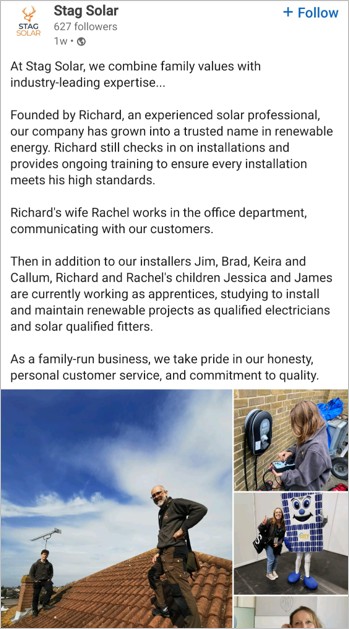
Highlight your talents
Your skills and expertise are what set you apart. Use your LinkedIn posts to show your abilities and share insights that resonate with your audience.
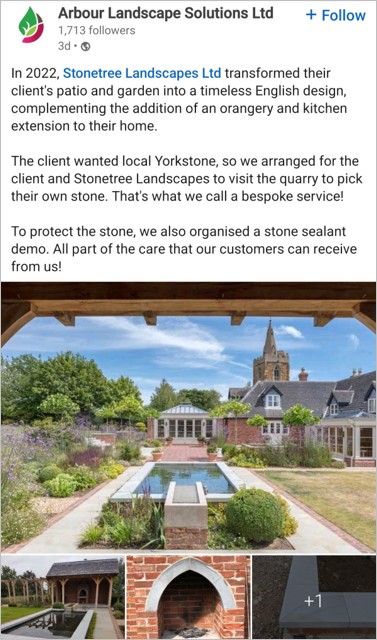
Stay industry relevant
Keep your connections updated on the latest trends, major events or key developments in your industry. This not only keeps your audience informed but also positions you as a reliable source of information.

Go behind the scenes
People love getting a glimpse of the day-to-day. Sharing snippets of your work life or the processes behind what you do can create a connection and exclusivity with your audience.
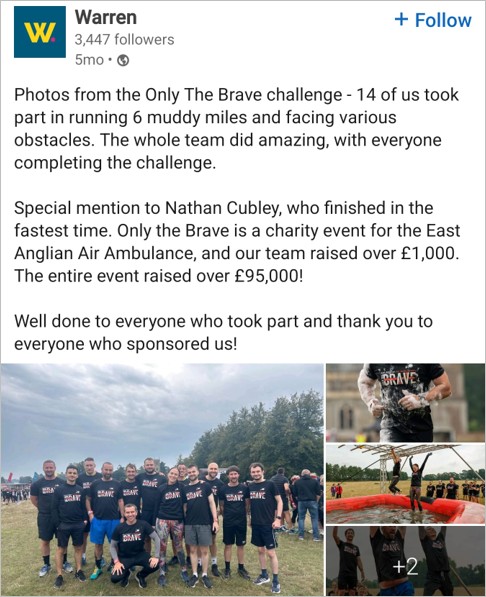
Share your vision
Have ideas or predictions about the future of your industry? Let your audience in on your thoughts. This can spark engaging conversations, create a community and help you gain insights from others in your field.
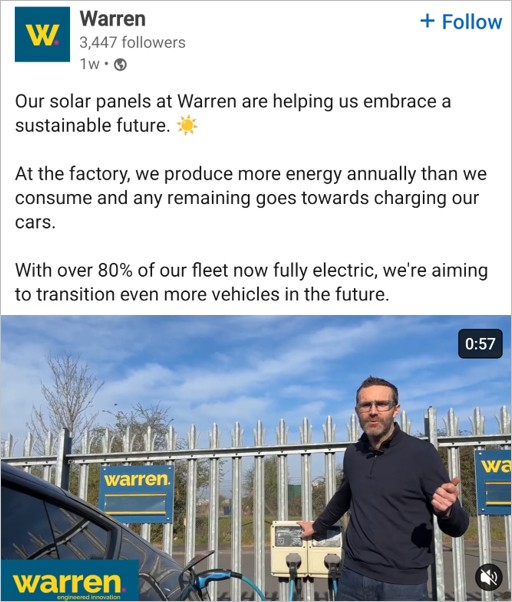
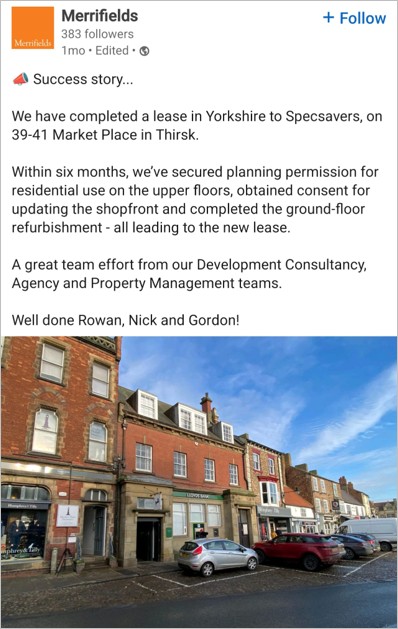
Success stories
Overcoming challenges and achieving success is always worth sharing. Highlighting these moments on LinkedIn not only shares your hard work but also inspires others by demonstrating what’s possible with perseverance and dedication.
Top tips for videos
Creating a video can take some time. From setting up your space to redoing takes, there’s plenty to prepare before you even start filming. Here are a few things you might want to consider before hitting record…
- People are drawn to faces, voices and personal stories. These elements create stronger connections than faceless brands. Remember, people follow people, not logos.
- For optimal visibility, upload your videos straight to LinkedIn instead of sharing external video links. This eliminates the extra step of clicking, allowing viewers to engage effortlessly.
- Since around 85% of LinkedIn users watch videos on mute, including subtitles is important. Subtitles ensure your message resonates even without sound.
- Aim for videos between 60 and 90 seconds, capturing people’s attention within the first 3. Be clear and direct, avoid lengthy introductions or unnecessary details.
The video specs
- File size – min 75KB | max 5GB
- Video duration – max 15 minutes
- Resolution – 256 x 144 | 4096 x 2304
- Aspect ratios – 1:2.4 | 2.4:1
- Frame rates – min 10fps | max 60fps
- Bit rates – min 192 Kbps | max 3 Mbps
LinkedIn is a valuable platform for professionals to connect and share their expertise. Understanding how to create engaging content can help you make the most of its features. For more helpful tips on getting started, have a scroll through their brand new guide.

