

Boost your Facebook page likes in just a few clicks!
Facebook is a great platform for all kinds of businesses, but sometimes it can feel like a struggle to get more page likes and reach new people. There’s no point in creating amazing content if hardly anyone sees it, so here’s a quick tip to help you grow your numbers.
Step 1
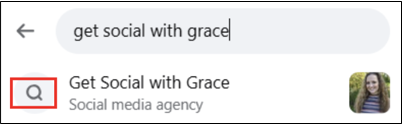
Start by logging into your personal Facebook account, then use the search bar to find the business page.
Step 2
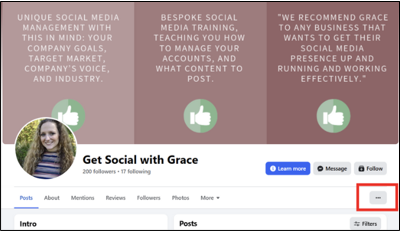
Once you’re on the page, click the three dots on the right-hand side.
Step 3
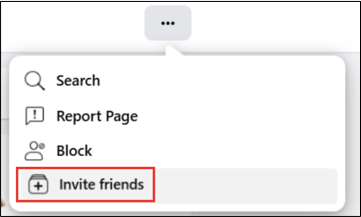
Select ‘Invite Friends’ from the menu.
Step 4
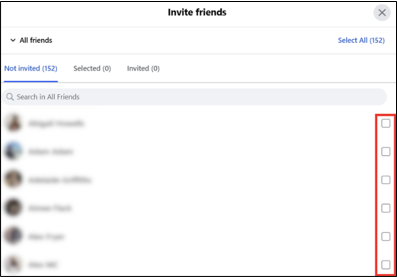
You’ll see a list of all your Facebook friends. Tick the friends you want to invite or click ‘Select All’ in the top right.
Step 5
Send the invitations and that’s it!
One of the best parts about this hack is that you don’t need to be a page admin to do this. Anyone can use this simple trick, friends, family or colleagues, to help more people hear about your business. It takes a few minutes and could easily bring in some new customers.

